Toyota Remote Connect allows drivers to control certain vehicle functions remotely using the Toyota App on their smartphone or smartwatch. With Remote Connect, you can start the vehicle, lock or unlock the doors, locate the vehicle, and check vehicle status — all directly from your mobile device.
Toyota Remote Connect is part of Toyota Connected Services and is available on many newer Toyota vehicles equipped with remote services.
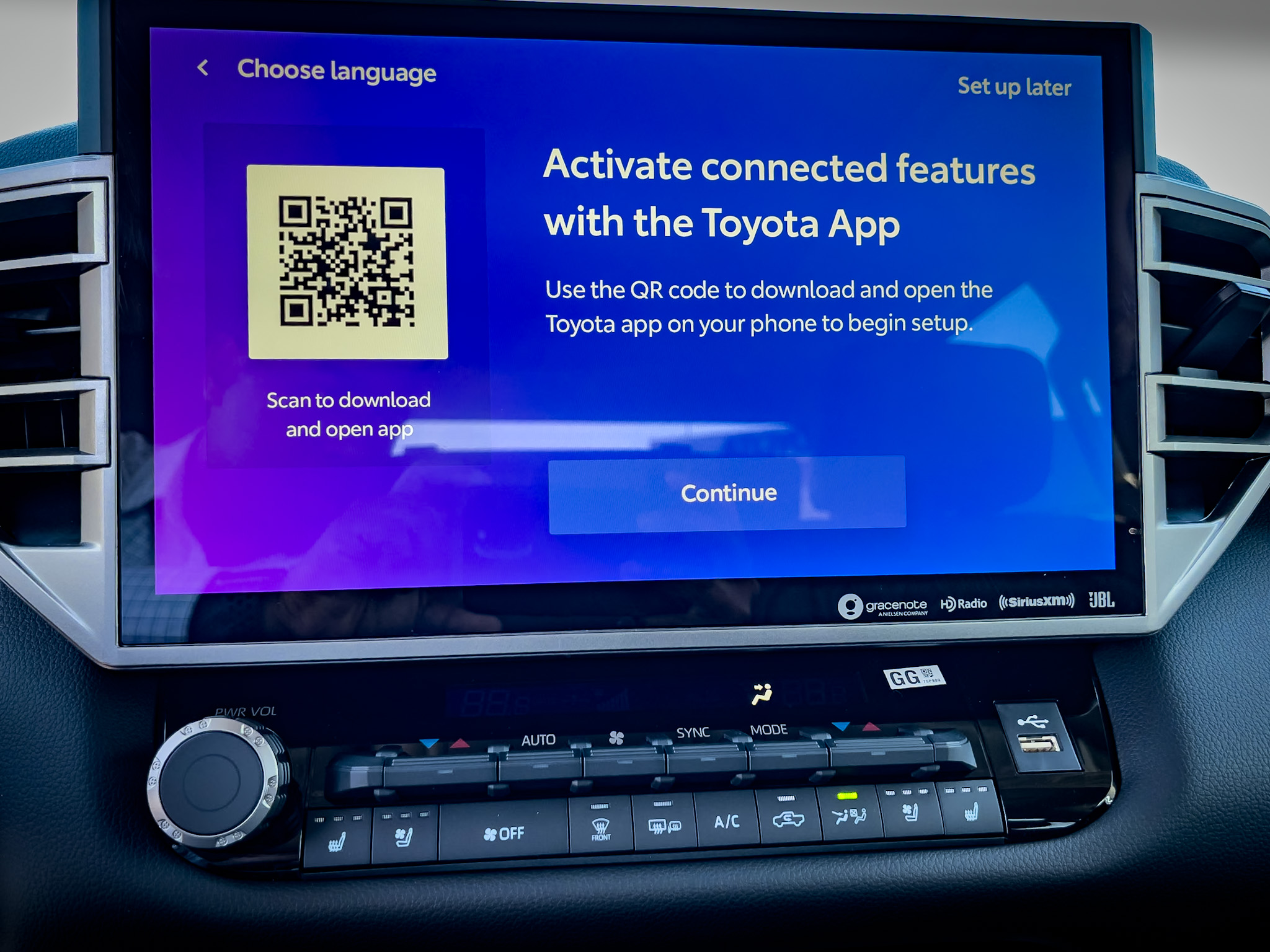
Out of every Toyota Connected Services feature I set up with customers, Remote Connect was the one people were most excited about. Every time, without fail.
Being in Southern California — and specifically serving customers from the Inland Empire who work out in Orange County — I saw this play out the same way repeatedly. They knew that at a certain point in the day, especially in summer, it was going to be well over a hundred degrees outside. And when you've got a car sitting in a parking lot in that heat, the inside of that vehicle is significantly hotter than the air outside. They wanted the ability to pull out their phone, start the car, leave the AC running, and have the interior cooled down for a solid seven or eight minutes before they even walked to it.
That feature alone drove more Toyota App setups than anything else. People were genuinely motivated to get it done before they left the lot. If you're thinking about getting the Toyota App set up — do it. Especially if remote start is something that would actually improve your daily routine.
Remote start is the most popular feature in Toyota Remote Connect — and once you use it, you'll wonder how you got along without it. Start the car from your phone to cool it down in summer or warm it up in winter before you even leave the building. Paired with the Bluetooth and CarPlay setup you've already done, the vehicle is ready to go the moment you sit down.
Understanding Toyota Remote Connect
Toyota Remote Connect allows you to control and monitor your vehicle remotely through the Toyota App. It provides convenience, security, and monitoring features accessible from your smartphone or smartwatch at any time.
Toyota Remote Connect allows you to:
- Remotely start the vehicle
- Remotely stop the vehicle
- Lock and unlock doors
- Turn on hazard lights
- Locate your parked vehicle
- View vehicle status information
- Assign remote access to other drivers
- Set driving alerts and notifications
Remote Connect is especially useful for starting the vehicle in extreme weather, quickly checking if the vehicle is locked, or monitoring a vehicle being driven by a family member or guest driver.
Toyota Remote Connect Capabilities
Remote Start and Stop
Start or stop your vehicle remotely through the Toyota App. This lets the vehicle pre-condition the interior — running the AC in summer or heat in winter — before you get in.
Lock and Unlock Doors
Lock or unlock the vehicle doors from anywhere using the Toyota App. Useful when you're unsure whether you locked up, or when you need to let someone into the vehicle remotely.
Hazard Light Control
Activate the hazard lights remotely to help locate your vehicle in a large parking lot or garage.
Vehicle Status Information
View vehicle information including odometer reading and current vehicle status directly from the Toyota App.
Assign Remote Access
The primary account holder can grant remote access to other drivers — family members, a spouse, or a college student — through the Toyota App under Authorized Remote Drivers.
Driving Alerts
Set customized driving alerts including speed alerts, distance alerts, curfew alerts, and guest driver notifications. These are particularly useful when a newer driver or guest is using the vehicle.
Get the Car Buying Secrets Guide — Free
Before you step into any Toyota dealership, make sure you understand how the buying process works from the inside. Free PDF, instant download.
Download Free PDF →How to Set Up Toyota Remote Connect
- Download the Toyota App — Download the Toyota App on your smartphone from the App Store or Google Play.
- Register Your Vehicle — Log into your Toyota account and add your vehicle using your VIN.
- Activate Remote Connect Trial or Subscription — Confirm your vehicle is enrolled in an active Remote Connect trial or subscription.
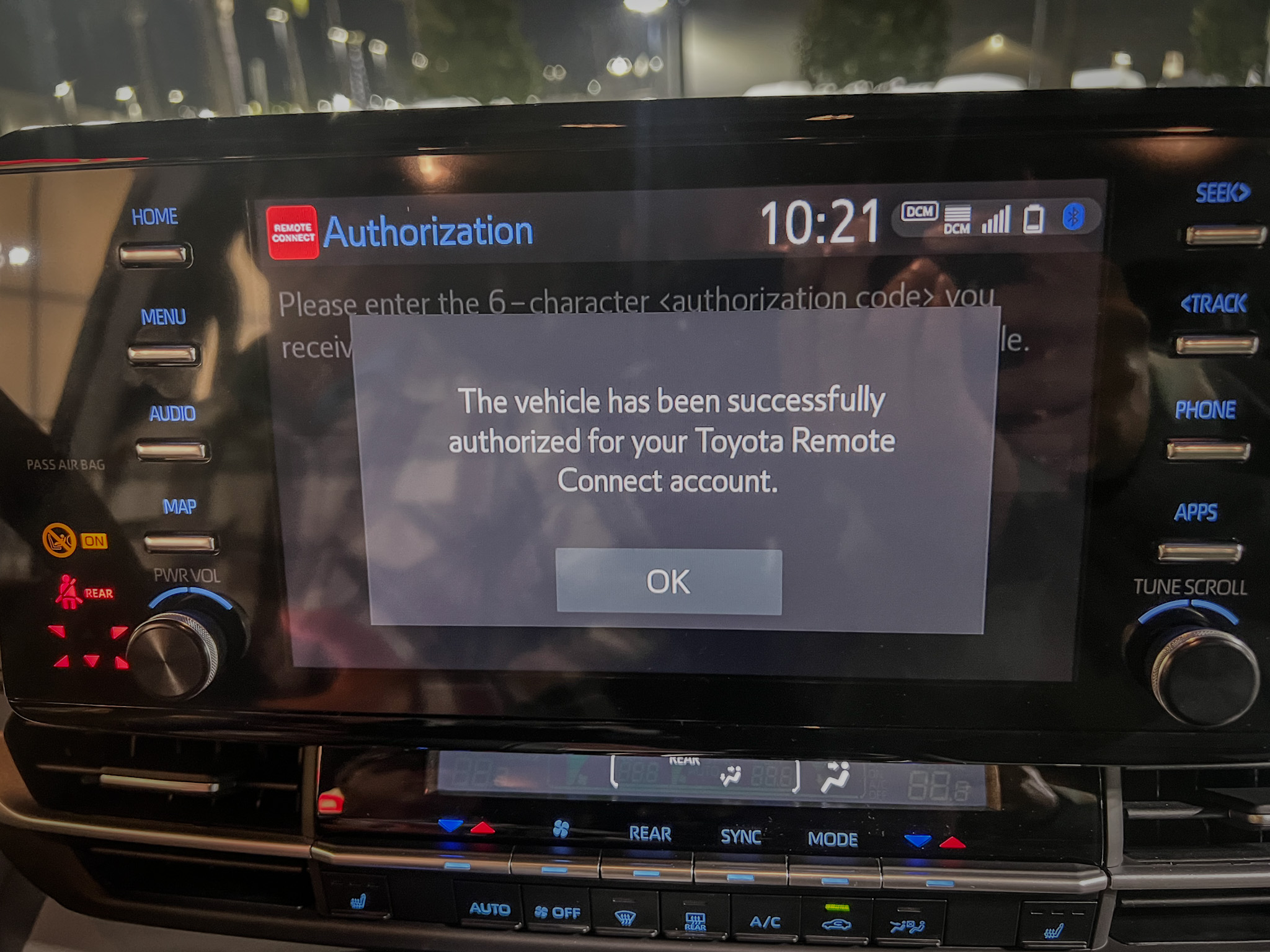
- Enter Authorization Code — During setup you may be prompted to enter or scan an authorization code to pair the vehicle with your Toyota account.
- Assign Remote Access (Optional) — Grant remote access to additional drivers through Authorized Remote Drivers in the Toyota App.
- Set Driving Alerts (Optional) — Configure speed, distance, and curfew alerts through Guest Driver Settings in the Toyota App.
Using Toyota Remote Connect with Smartwatches
Toyota Remote Connect works with Apple Watch and Android Wear smartwatches. After installing the Toyota App on your smartphone and logging into your account, install the Remote Connect app on your smartwatch to control the vehicle directly from your wrist:
- Start the vehicle
- Lock and unlock doors
- Check vehicle status
- Locate your vehicle
Important Setup Tips
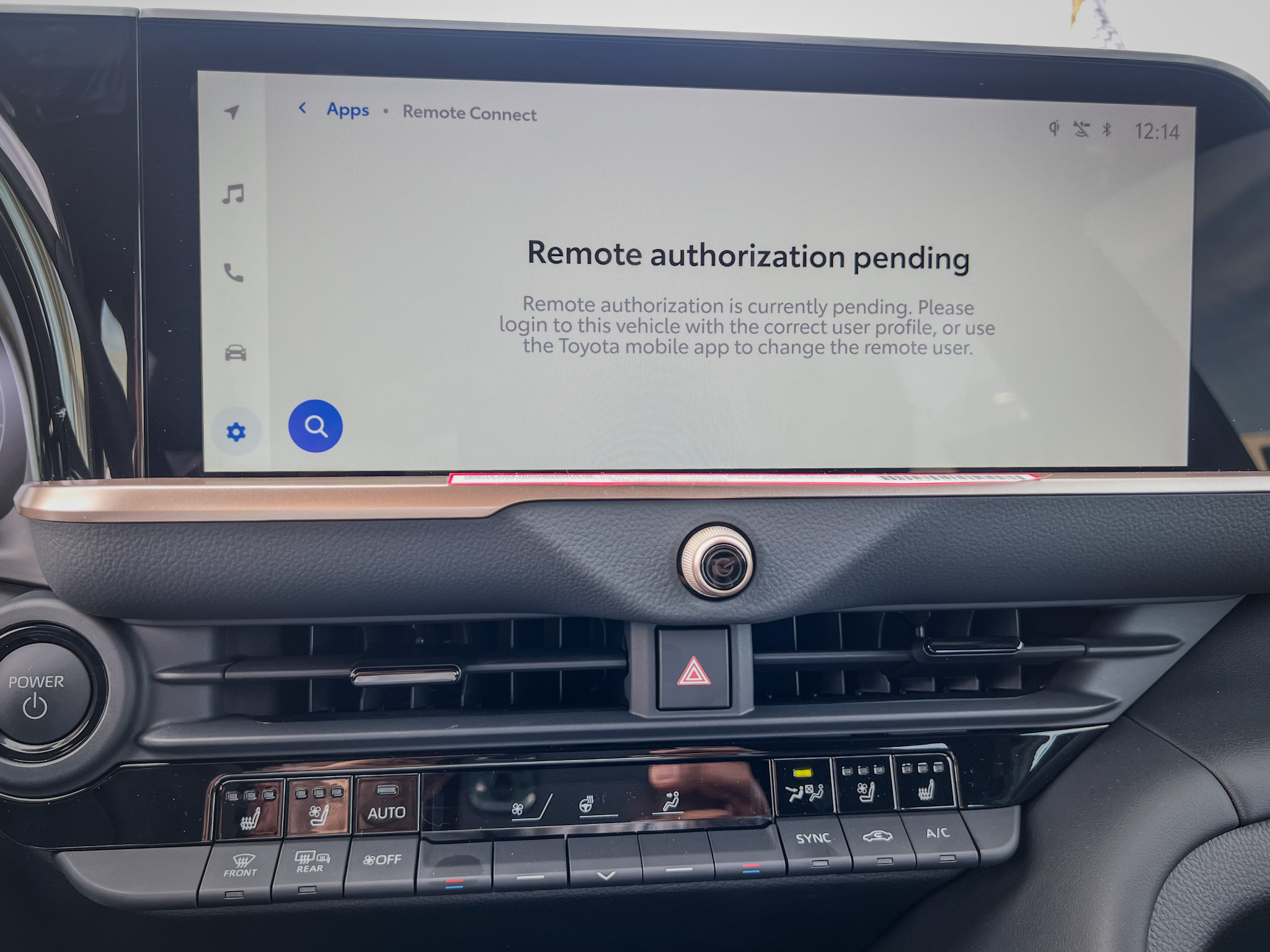
New vehicle — app won't connect: If you're setting up Remote Connect on a new vehicle and the Toyota App isn't connecting, the vehicle may not have been Retail Delivery Reported (RDR) yet. The selling dealership needs to complete this process before the app can fully connect to the vehicle.
Pre-owned vehicle: If the vehicle was previously owned, the prior owner's connected services profile may still be linked to the vehicle. The dealership will need to remove the previous owner's profile before Remote Connect can be activated on your account. This is a common issue with certified pre-owned and used Toyota purchases — ask the dealer to confirm the vehicle's profile has been cleared before you leave the lot.
Toyota Remote Connect and Toyota Connected Services
Toyota Remote Connect is part of Toyota Connected Services. Other available features include:
- Insure Connect — Manage insurance through Toyota with potential discounts and multi-asset coverage.
- Wi-Fi Connect — In-vehicle 4G LTE hotspot for passenger devices.
- Dynamic Navigation — Turn-by-turn cloud navigation with real-time traffic and updated maps.
- Destination Assist — Live agent assistance for finding destinations and sending routes to the vehicle.
- Drive Connect / Cloud Navigation — Real-time cloud-based navigation with updated maps and offline fallback.
- Remote Connect — Remote start, lock/unlock, vehicle status, and driving alerts from your smartphone.
- Service Connect — Vehicle health reports, maintenance reminders, and service scheduling.
- Safety Connect — 24/7 emergency assistance, collision notification, roadside help, and stolen vehicle locator.
Read more about Toyota Connected Services →
Availability depends on the vehicle and may require a trial or subscription.
The Car Buying Secrets Book — $19
Know your features, know your leverage. 25 years of dealer insider knowledge on how to evaluate any vehicle and walk out of the dealership with the right deal.
Get the Book — $19 →Recap of Toyota Remote Connect
Toyota Remote Connect puts vehicle control in your pocket. Remote start, lock and unlock, hazard lights, vehicle locator, driving alerts, authorized driver access — all through the Toyota App on your phone or smartwatch. It's part of Toyota Connected Services and requires an active trial or subscription. Set it up on delivery day and it will be one of the features you use most.
Frequently Asked Questions
What is Toyota Remote Connect?
Toyota Remote Connect allows drivers to control and monitor their vehicle remotely through the Toyota App — including remote start, door lock/unlock, hazard lights, vehicle locator, and driving alerts.
What can I control with Remote Connect?
You can start and stop the vehicle, lock and unlock doors, activate hazard lights to locate your car, view vehicle status information, assign remote access to other drivers, and set driving alerts for speed, distance, and curfew.
Do I need a subscription for Remote Connect?
Yes. Remote Connect typically includes a trial period with the vehicle. After the trial ends, an active subscription through Toyota Connected Services is required to continue using the feature.
Can I give remote access to other drivers?
Yes. The primary account holder can assign remote access to additional drivers through the Authorized Remote Drivers section in the Toyota App.
What are driving alerts?
Driving alerts notify you when the vehicle exceeds set speed limits, travels outside a defined distance range, or is driven during restricted curfew hours. These are most useful for monitoring guest or younger drivers using the vehicle.
Can I use Remote Connect on a smartwatch?
Yes. Toyota Remote Connect supports Apple Watch and Android Wear. Install the app on your watch after setting up the Toyota App on your phone to control the vehicle from your wrist.
Is Remote Connect available on all Toyota vehicles?
Availability depends on the vehicle model and equipment level. Check with your dealer or the Toyota App to confirm Remote Connect is supported on your specific vehicle.